Flyerio

Built for aircraft operators

Your Fleet. Your Operations. One Platform.

Flyerio gives aircraft operators a modern digital workspace to manage their fleet, configure pricing, control airport-specific policies, and communicate with customers and brokers — all in one place.

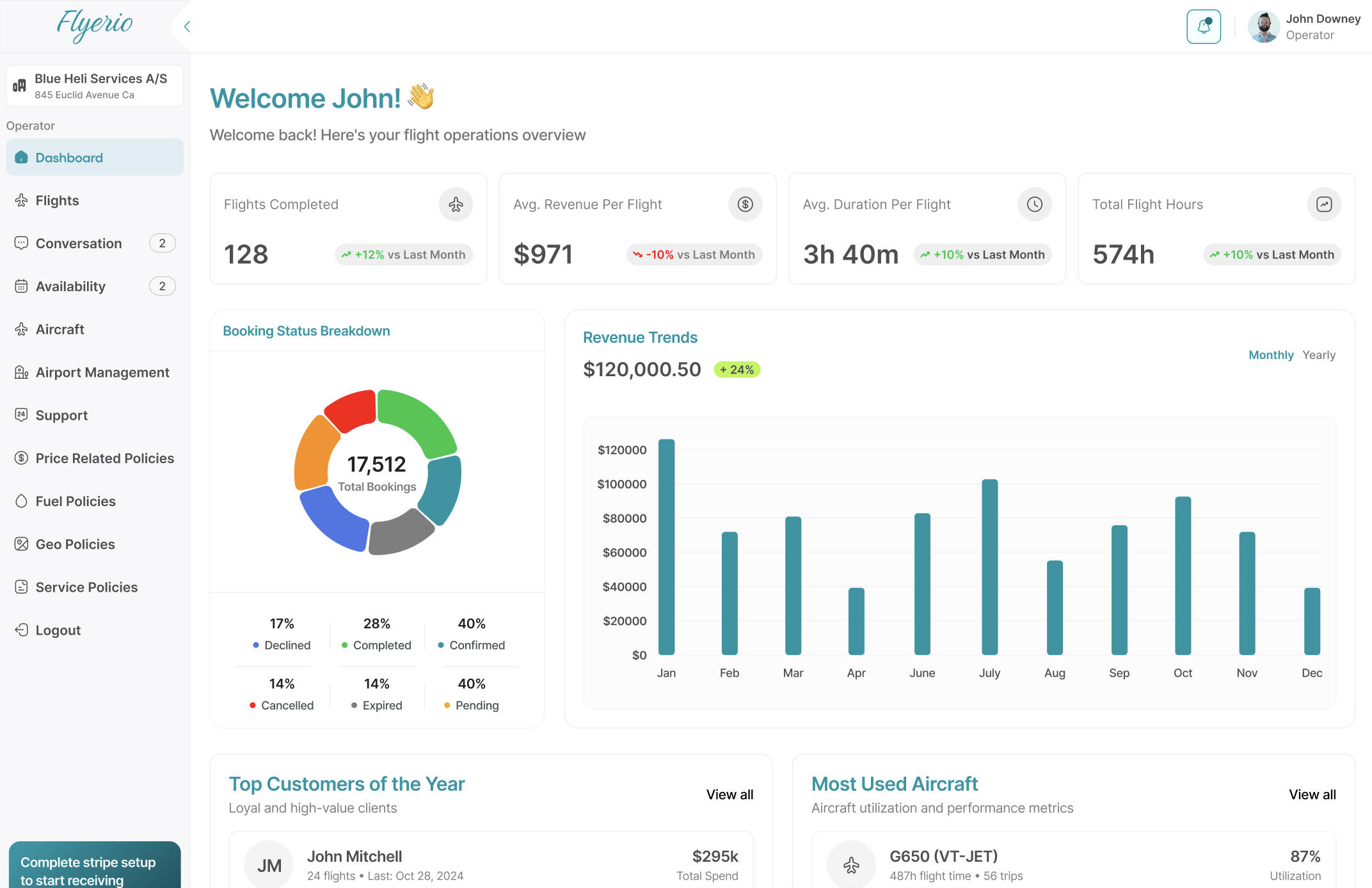
Flyerio operator dashboard with a sample operations overview, including booking status, a revenue chart, and aircraft usage.
Sample operator workspace. The names and figures in this view are interface examples, not published Flyerio results.

Your operations, connected

Everything Your Fleet Needs. All in One Place.

Managing charter operations involves more than making aircraft available. Flyerio brings essential fleet information, commercial settings, and operational controls together in one structured workspace.

Fleet management

Your Fleet, Under Your Control.

Manage your fleet from one intuitive dashboard. Add, edit, copy, or delete aircraft with just a few clicks. Explore advanced aircraft settings.

  • Aircraft cards with status, type, year, payload, passengers, and base.
  • Search and filters for aircraft type, engine, and status.
  • Manage each aircraft with settings such as aircraft data, pricing, images, documents, and more.
  • Want to pause operations on a specific aircraft? Change its status instead of deleting it.
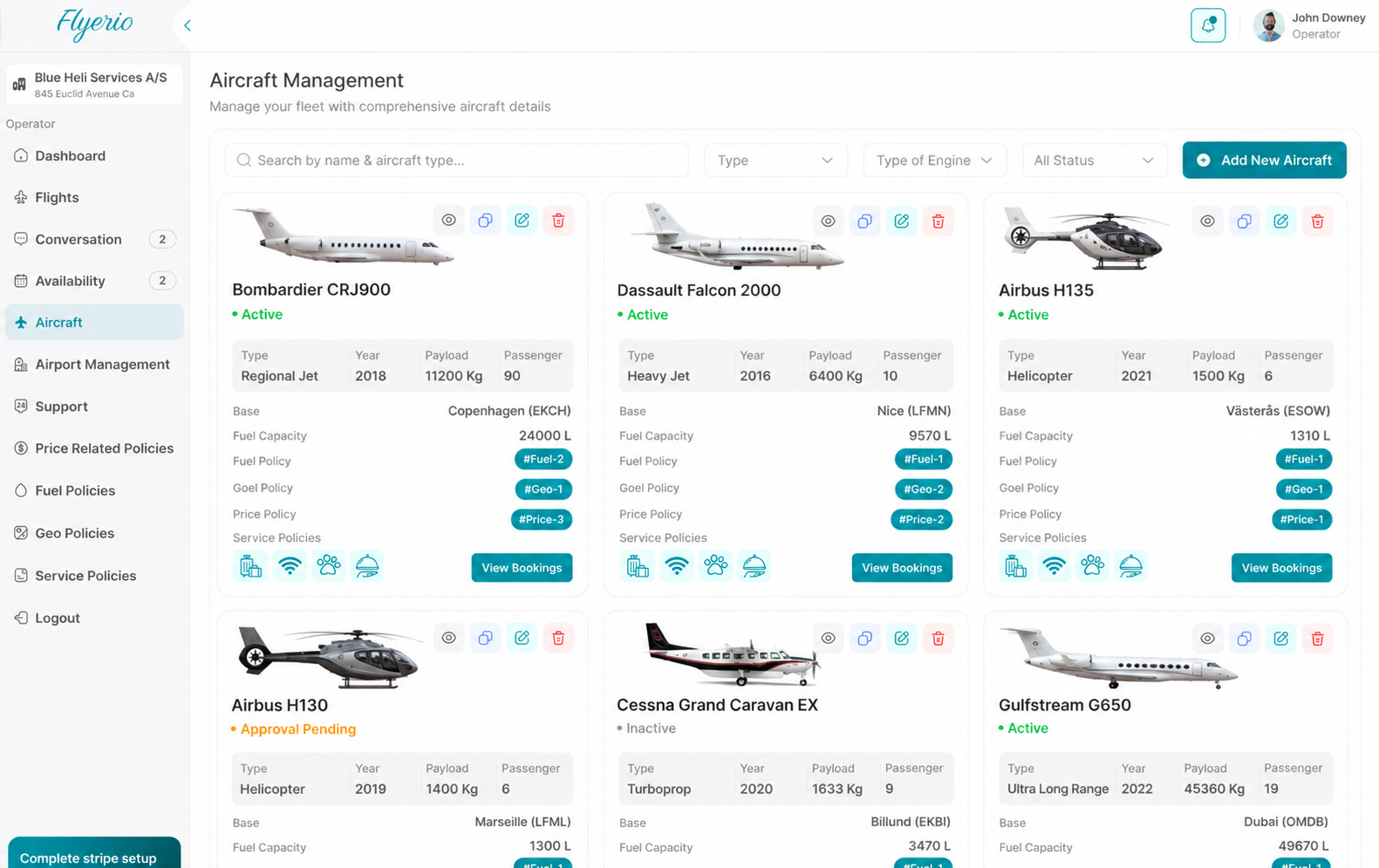
Flyerio aircraft management screen with sample fleet cards for jets and helicopters, showing status, aircraft details, and policy labels.

Airport management

Control Your Airport Pricing and Policies.

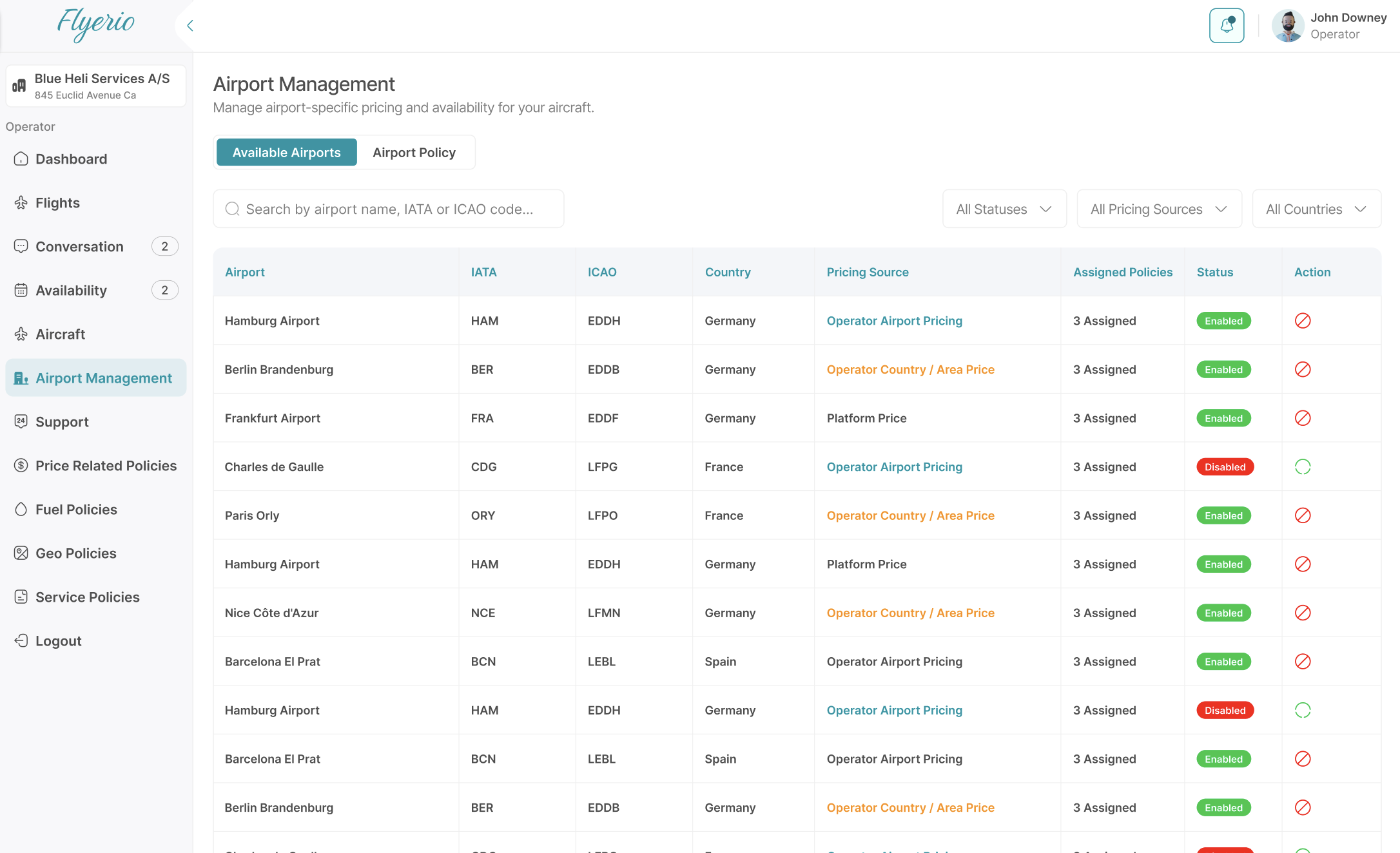
Manage airport-specific settings. Change airport pricing by country, or configure individual airports.

  • Search by airport name, IATA code, or ICAO code.
  • Use platform pricing, country pricing, individual airport pricing, or a general price for the aircraft.
  • Make multiple airport policies and assign them to different aircraft.
  • Easily exclude specific airports.
Flyerio airport management table with sample airports, IATA and ICAO codes, pricing source, assigned policies, and status.

Operator dashboard

A Clearer View of Your Operations.

Bring important operational and commercial information into one overview, helping your team understand activity across the platform without navigating between disconnected tools.

  • An operations overview with activity, duration, and flight-hour summaries.
  • A booking status breakdown.
  • A revenue trend view.
  • Lists for customers and aircraft usage.
Flyerio operator dashboard with a sample operations overview, including booking status, a revenue chart, and aircraft usage.

Keep everyone connected

Less Back-and-Forth. Better Visibility.

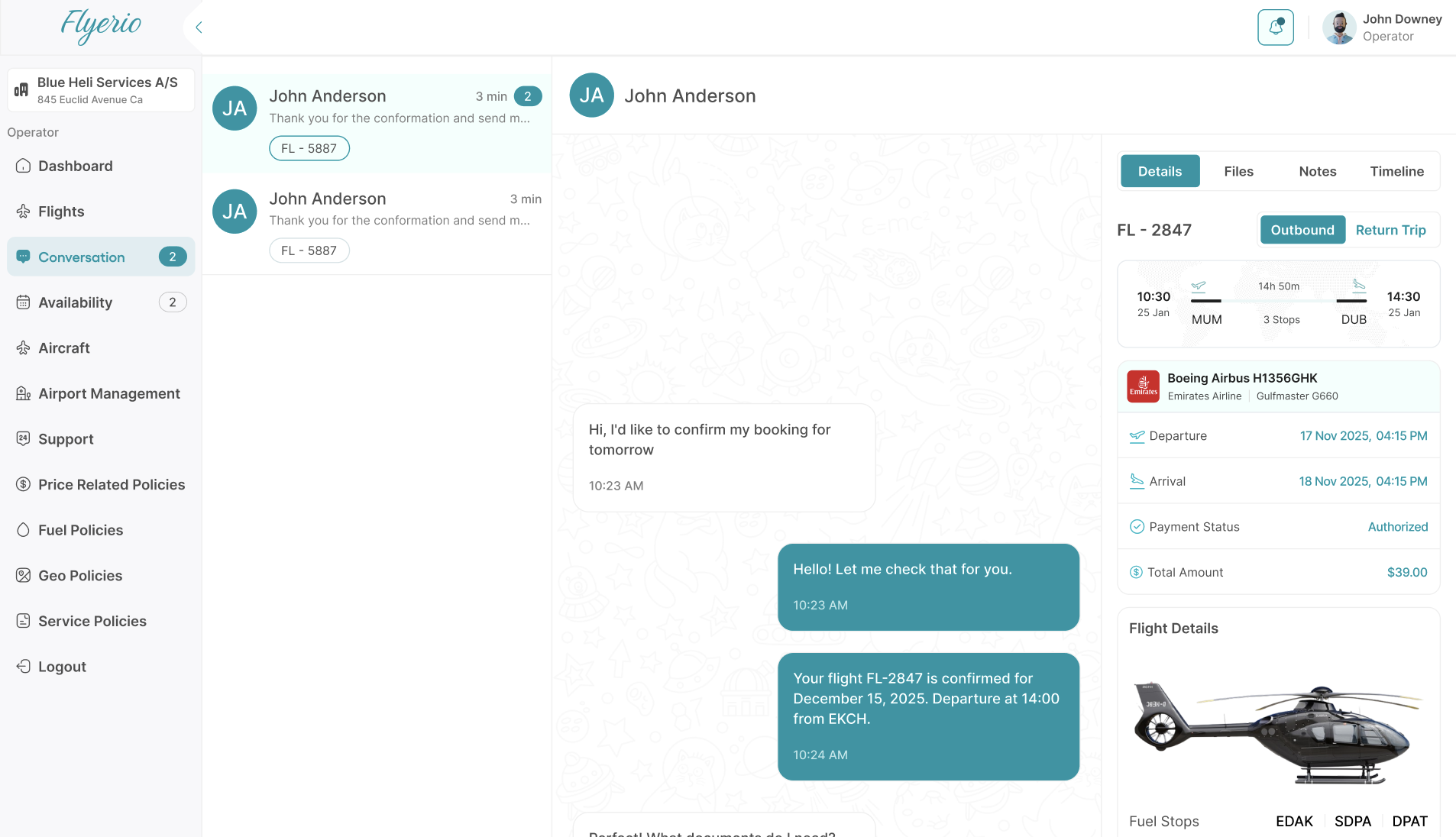
Charter operations involve ongoing communication, changing requirements, and booking details that need to stay organised. Flyerio brings conversations and relevant flight information into a shared workspace.

  • Live chat with brokers or customers. No email needed.
  • Upload documents, images, files, and more within the chat.
  • Flight details, including route, timing, and aircraft, next to the thread.
  • View booking and payment information.
Flyerio conversation screen with a sample booking thread beside flight details, route timing, and payment information.
Sample conversation. The people, messages, and flight details shown here are interface examples.

More control. Less friction.

Technology That Works for Operators.

Flyerio is designed to support the commercial and operational needs of independent aircraft operators — from presenting aircraft to managing the settings that influence how charter opportunities are handled.

  • Manage Your Aircraft

    Keep fleet information and relevant aircraft settings organised in one platform.

  • Configure Your Commercial Settings

    Manage supported pricing rules and policies according to your business model.

  • Control Relevant Operational Policies

    Organise airport-related and other supported policies in a structured workspace.

  • Connect With Charter Demand

    Use Flyerio as a digital channel through which participating customers and professional brokers can discover aircraft and submit charter enquiries, subject to aircraft availability and applicable platform workflows.

No fixed monthly, annual, or per-aircraft platform fee.

Operators can join Flyerio without a fixed recurring platform access or aircraft listing fee. Applicable transaction-related charges and commercial terms may still apply.

Your Flyerio journey

From Registration to Ready to Operate.

Getting started should be straightforward. Flyerio’s onboarding process is designed to help eligible operators register, complete verification, and prepare their account for use.

  1. Step 1

    Sign Up

    Create your operator account and provide your company information.

  2. Step 2

    Verification

    Flyerio reviews your company details to establish eligibility for the platform.

  3. Step 3

    Submit Your Documents

    Provide the required company, operator, aircraft, insurance, and other applicable documentation for review.

  4. Step 4

    Account Activation

    Once the required verification and documentation checks are complete, your account can be activated so you can prepare your fleet and relevant settings.

Account activation depends on successful verification and approval of the required documentation. Flyerio does not promise instant approval or a fixed review time. Review the operator requirements.

Ready to Bring Your Operations Into One Platform?

Join Flyerio and explore a modern way to manage your fleet, configure your commercial settings, and connect with the private aviation marketplace.

No fixed monthly, annual, or per-aircraft platform fee. Operator verification and applicable commercial terms apply.